
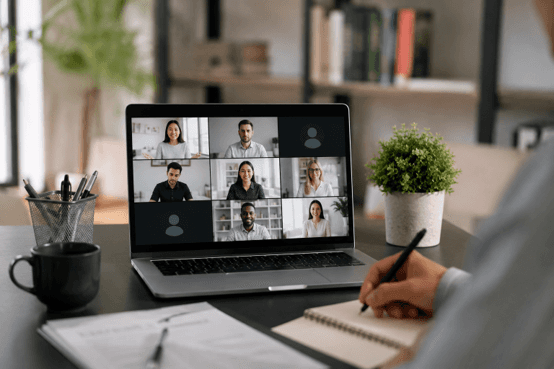
Why People Are Turning Their Cameras Off More Often in 2026
Video meetings have become a normal part of professional life. Whether you're attending a job interview, joining a team meeting, collaborating with freelance clients, participating in a training session, or networking with industry contacts, platforms like Zoom and Microsoft Teams are now deeply integrated into how people communicate and work.
At the same time, expectations around video participation have evolved. While keeping your camera on is often encouraged, it is no longer viewed as the only professional option. Many employees, job seekers, and remote workers occasionally choose to use a blurred background or temporarily turn their camera off for perfectly legitimate reasons.
One major factor is the continued growth of remote and hybrid work. Not everyone has access to a dedicated home office, and many people share living spaces with roommates, partners, children, or family members. Privacy concerns alone can make background blur an important professional tool rather than a convenience.
There are also practical considerations. Internet bandwidth limitations, unstable connections, aging hardware, and resource-heavy software can all affect call quality. In many cases, disabling video helps ensure clear communication and a smoother meeting experience.
For job seekers, another factor is performance pressure. Interviews can already be stressful, and some candidates find that reducing visual distractions helps them stay focused and communicate more effectively. Meanwhile, many organizations have become increasingly comfortable with audio-first participation, especially when the conversation itself matters more than what is happening on camera.
This article explores professional, realistic explanations for using a blurry background or keeping your camera off—reasons that help maintain credibility without sounding defensive, awkward, or overly rehearsed.

When Is It Actually Acceptable to Keep Your Camera Off?
Before using any explanation for a blurry background or a camera-off setting, it's important to understand that not all meetings have the same expectations. In some situations, turning off your camera is completely normal. In others, it may raise questions if you do not provide a reasonable explanation.
The biggest factor is context. Internal meetings, large team calls, webinars, and training sessions often place more importance on participation than on being visible on screen. On the other hand, client-facing conversations and job interviews usually involve stronger expectations around video because visual communication helps build rapport and trust.
Company culture also matters. Some organizations encourage cameras during every meeting, while others have adopted a more flexible, audio-first approach that prioritizes productivity and comfort.
Situation | Camera Off Usually Accepted? | Notes |
|---|---|---|
Internal Team Meeting | Yes | Especially large meetings |
One-on-One Manager Meeting | Sometimes | Depends on culture |
Job Interview | Usually No | Use only when necessary |
Training Session | Often | Participation matters more |
Webinar | Yes | Common practice |
Client Presentation | Rarely | Video often expected |
The good news is that most people are far less concerned about your camera status than they are about your engagement. If you communicate clearly, participate actively, and provide a brief professional explanation when needed, a blurred background or camera-off setting is rarely a problem. The key is sounding confident and professional rather than overexplaining the situation.
Smart Alibi #1 — Internet Stability Comes First
One of the most practical and widely accepted reasons for turning off your camera is preserving call quality. Video consumes significantly more bandwidth than audio, which means that when an internet connection becomes unstable, video is often the first thing that starts causing problems.
Most people have experienced frozen screens, delayed reactions, pixelated video, or awkward moments where someone keeps cutting in and out. While these issues may seem minor, they can quickly make a meeting frustrating and difficult to follow. In professional conversations, clear communication is usually more important than appearing on screen.
If you notice lag, poor Wi-Fi performance, or network congestion, prioritizing audio is a reasonable decision. After all, nobody benefits from a video feed that constantly freezes while important points are being discussed.
Example Phrase
"I've noticed some connection instability today, so I'm turning off video to keep the audio clear."
Why It Works
This explanation focuses on the quality of the meeting rather than your personal preference. Instead of sounding like you're trying to avoid being on camera, it shows that you're making a practical decision to ensure smooth communication. That professional mindset is what makes this alibi both believable and effective.
Smart Alibi #2 — Background Blur Helps Protect Privacy in a Shared Space
Remote work has made professional meetings more flexible, but it has also blurred the line between personal and professional environments. Not everyone works from a dedicated home office. Many people share apartments with roommates, live with family members, or occasionally work from temporary locations where privacy is limited.
In these situations, using a blurred background is often the most professional choice. It helps prevent distractions while protecting the privacy of other people who may be nearby. This is especially useful when family members are moving around the house, roommates are using common areas, or you're working from a coworking space where strangers could appear in the background.
Today's workplaces are generally far more understanding of these realities than they were a few years ago. Most managers, colleagues, and interviewers recognize that remote work setups vary widely, making background blur a common and socially accepted feature rather than something suspicious.
Example Phrase
"I'm working from a shared space today, so I've enabled background blur for privacy."
This explanation is simple, professional, and easy to understand. It emphasizes respect for privacy rather than personal convenience, which is why it rarely attracts follow-up questions and is widely accepted across different workplace environments.
Smart Alibi #3 — You're Using a Temporary Workspace Today
Hybrid work has made it completely normal for professionals to join meetings from locations other than their usual workspace. On any given day, someone might be working from a hotel during a business trip, an airport lounge between flights, a temporary office, a conference venue, or a shared coworking environment.
Because these locations are often busy, unpredictable, or visually distracting, many professionals choose to blur their background or briefly turn off their camera. In fact, most people understand that travel and flexible work arrangements are now a routine part of modern business.
Example Phrase
"I'm working from a temporary location today, so the background may be blurred."
This explanation works because it is simple, practical, and believable. It does not invite unnecessary questions or provide excessive detail. Instead, it communicates that you are still present, prepared, and committed to the meeting despite not being in your usual environment.
A temporary workspace is something nearly every remote professional has experienced at some point. As a result, this explanation feels natural rather than rehearsed. It shifts attention away from your surroundings and back to what really matters—the conversation, collaboration, and outcomes of the meeting itself.
Smart Alibi #4 — Your Computer Is Handling Resource-Intensive Tasks
Not every camera-off explanation needs to be about privacy or location. Sometimes the limitation is purely technical. Modern work often requires running software and processes that place significant demands on a computer's CPU, memory, and network resources.
Developers may be compiling large software builds, running multiple virtual machines, testing applications in complex development environments, or executing automated test suites. Data professionals may be processing large datasets, training models, or generating reports. Creative professionals often deal with video rendering, graphic exports, and other resource-heavy workloads that can temporarily reduce system performance.
When a computer is already working near its limits, adding a live video stream can increase lag, reduce responsiveness, and negatively affect both the meeting and the task being performed. In these situations, turning off video is a practical decision rather than a personal preference.
Example Phrase
"My system is running a few resource-heavy processes right now, so I'll keep video off to avoid performance issues."
Many technical professionals use this explanation because it is both realistic and easy to understand. It demonstrates that you're focused on maintaining productivity and meeting quality rather than simply avoiding being on camera, which makes it a credible and professional reason.
Smart Alibi #5 — You're Optimizing for Focus During an Important Discussion
As remote work has matured, many professionals have started embracing an audio-first approach during certain meetings. While video can help create connection, it can also introduce distractions, increase screen fatigue, and make it harder to focus during complex discussions.
This is especially true during strategy sessions, planning meetings, training calls, or conversations that require extensive note-taking. Some people find they listen more carefully and retain information better when they are not monitoring their appearance on screen or reacting to multiple video feeds at once.
Keeping the camera off can also reduce the mental fatigue that comes from spending hours in virtual meetings. Instead of splitting attention between visual presentation and active participation, you can focus entirely on the content being discussed.
Example Phrase
"I'm taking detailed notes today, so I'll stay off camera and focus on the discussion."
Why This Works Psychologically
This explanation is effective because it reframes camera-off behavior as a sign of engagement rather than disengagement. Instead of suggesting that you're withdrawing from the meeting, it communicates that you're concentrating more deeply on the conversation. People generally respond positively when they believe your decision is helping you contribute better, listen more carefully, and produce stronger outcomes from the discussion.
Smart Alibi #6 — You're Preparing for an Important Interview or Presentation
Interviews and high-stakes presentations often require more concentration than an ordinary meeting. It's common for professionals to keep multiple resources open at the same time, including notes, research documents, presentation slides, project references, or talking points that help them stay organized throughout the conversation.
In these situations, reducing visual distractions can be beneficial. Rather than worrying about how they appear on camera, many people prefer to focus entirely on delivering clear answers, reviewing key information, and staying mentally present. This is especially helpful during technical interviews, panel discussions, and presentations where accuracy matters more than appearance.
Example Phrase
"I'm reviewing some materials alongside the call, so I may keep video off to stay focused."
This explanation sounds reasonable because it prioritizes preparation and performance. Most interviewers and meeting participants understand that important conversations often require reference materials and active note-checking.
Some candidates also use tools such as Sensei AI during interview preparation to organize interview-related information and reduce the need to switch constantly between documents. Having important information readily available can help people stay focused on answering questions clearly instead of managing multiple windows and notes throughout the discussion.
Ultimately, the goal is not to hide from the meeting but to participate more effectively and confidently.
Try Sensei AI for Free
Smart Alibi #7 — Lighting Conditions Are Unusually Poor
Sometimes the issue isn't your camera, internet connection, or workspace—it's simply the lighting. Poor lighting can make video appear grainy, overly dark, or distracting, which may actually reduce the professionalism of your appearance on a call.
This situation is especially common when traveling, working from a hotel room, joining from a temporary workspace, or dealing with unusual weather conditions that affect natural light. It can also happen in power-saving environments where bright lighting is unavailable or intentionally minimized.
Rather than forcing a poor-quality video feed, many professionals choose to blur their background or temporarily disable video until they return to a better setup.
Example Phrase
"The lighting setup isn't ideal where I'm working today, so I'll use a blurred background and keep the focus on the conversation."
This explanation works because it is straightforward and practical. It doesn't sound like an excuse, nor does it invite unnecessary discussion. Instead, it calmly acknowledges a temporary limitation while emphasizing that the priority remains the quality of the conversation. That balance makes it sound professional, reasonable, and easy for others to accept.
Smart Alibi #8 — You're Experiencing Camera Hardware Issues
Among all explanations for turning off video, hardware or technical issues are some of the most universally accepted. People are generally familiar with the fact that cameras can malfunction unexpectedly, especially in modern hybrid work environments where multiple devices and software systems interact.
Common causes include external webcams not being recognized properly, driver conflicts after system updates, built-in laptop camera glitches, or temporary permission issues where applications fail to access the camera. Even minor software updates or background processes can occasionally disrupt video functionality without warning.
In most professional settings, these types of issues are considered normal and require no further justification. Overexplaining the problem often makes it sound less credible, while a simple, confident statement is usually enough.
Example Phrase
"My camera isn't behaving properly today, so I'll continue on audio while I troubleshoot it afterward."
Simple explanations tend to work better because they sound natural and believable without introducing unnecessary technical complexity. Most people do not expect a detailed breakdown of the issue during a meeting, and in many cases, keeping the explanation brief helps maintain focus on the conversation rather than the technical problem itself.
Smart Alibi #9 — You're Participating From a Mobile Device
Joining meetings from a mobile device has become increasingly common in today’s flexible work environments. Whether you are traveling, commuting, moving between locations, or simply away from your primary setup, mobile participation is often the most practical option.
However, mobile connections can be less stable than wired or home Wi-Fi networks. Switching between cellular signals, moving through different coverage areas, or managing limited battery life can all impact video quality. In these situations, turning off video helps maintain a more stable and reliable audio connection, ensuring the conversation continues smoothly.
In distributed teams, this is widely understood. Many professionals have experienced joining calls from phones at airports, in transit, or during short breaks between tasks. As a result, audio-first participation is often seen as a normal and acceptable alternative when conditions are not ideal for video.
Example Phrase
"I'm joining from mobile today, so I'll keep video off to maintain a stable connection."
This explanation works because it directly links the decision to technical stability rather than personal preference. It is simple, practical, and aligns with common remote work experiences, making it easy for others to accept without further discussion.
Smart Alibi #10 — You're Managing Multiple Interview or Work Resources
In many professional situations, especially interviews and complex work discussions, participants are expected to juggle multiple sources of information at once. This may include reviewing job descriptions, checking project documentation, referencing technical materials, or preparing structured responses in real time.
When this level of multitasking is required, keeping the camera off can actually improve focus and efficiency. Instead of managing both visual presentation and information processing, professionals can dedicate their full attention to understanding questions, organizing thoughts, and delivering clearer answers. This is particularly common in technical interviews, case discussions, and strategy meetings where accuracy and clarity matter more than visual presence.
Example Phrase
"I have several reference materials open during the discussion, so I'll stay off camera to focus fully on the conversation."
This explanation is effective because it shifts attention away from appearance and toward productivity. It communicates that the decision is driven by preparation needs rather than disengagement.
Some job seekers also use tools like Sensei AI's AI Playground to practice interview questions, explore workplace scenarios, and quickly refine their answers before important meetings. This helps them stay more confident and structured during real-time discussions without constantly switching between resources.
In addition, Sensei AI's AI Editor can assist users in quickly generating or updating resume drafts before interviews, reducing last-minute stress and allowing candidates to focus more on preparation rather than formatting or editing documents under pressure.
Overall, the focus remains on optimizing performance and clarity, ensuring that the conversation is as productive and effective as possible.
Try Sensei AI Now!
The Real Secret: Confidence Matters More Than the Excuse
Across all the scenarios discussed, one pattern becomes clear: most people are far less concerned about whether your camera is on than they are about how well you communicate. In professional meetings, interviews, and collaborative discussions, clarity, responsiveness, and engagement matter far more than visual presence.
The most effective approach is to keep explanations short, direct, and confident. Overexplaining why your camera is off can draw unnecessary attention to something that is usually a minor detail. Instead, state your reason once if needed, then move forward and stay actively engaged in the conversation.
What truly builds trust is not video quality, but how you participate. Listening carefully, responding thoughtfully, and staying involved through voice communication all contribute to a strong professional impression. In many cases, people will barely remember whether your camera was on, but they will remember how well you contributed.
Quick Reference Table
Reason Category | Best Use Case | Professionalism Rating |
|---|---|---|
Internet Stability | Remote Calls | High |
Shared Workspace | Interviews & Work | High |
Temporary Workspace | Travel | High |
Resource Usage | Technical Roles | High |
Focus & Notes | Strategy Meetings | Medium-High |
Poor Lighting | Temporary Situations | Medium-High |
Camera Issues | Any Meeting | High |
Mobile Device | Travel | High |
Ultimately, a blurry background or camera-off setting rarely impacts your professional image in a negative way when your communication remains strong, confident, and helpful. People remember your ideas and contributions far more than your video status, making presence through voice and content the real deciding factor.
FAQs
Is it unprofessional to keep my camera off during a Zoom or Teams meeting?
Not necessarily. Many companies now accept camera-off participation, especially in internal meetings, training sessions, webinars, or situations involving privacy, travel, or technical limitations. What matters most is your level of engagement and communication.
What is the best reason to turn off my camera during an interview?
The safest reasons are technical or situational, such as unstable internet, temporary workspace conditions, or camera issues. Keep your explanation brief, confident, and professional without overexplaining.
Should I explain why my background is blurred?
In most cases, a short explanation is enough. Blurred backgrounds are widely accepted in remote work environments, so detailed justification is usually unnecessary unless asked.
Can keeping my camera off hurt my interview performance?
Yes, in some cases. Some interviewers expect visual interaction to build rapport. If possible, keep your camera on during interviews unless there is a clear technical or environmental reason not to.
How can I look professional even if my camera is off?
Focus on clear communication, active listening, and timely responses. Strong verbal engagement and thoughtful answers usually matter more than video presence alone.

Shin Yang
Shin Yang is a growth strategist at Sensei AI, focusing on SEO optimization, market expansion, and customer support. He uses his expertise in digital marketing to improve visibility and user engagement, helping job seekers make the most of Sensei AI's real-time interview assistance. His work ensures that candidates have a smoother experience navigating the job application process.
Learn More
Tutorial Series: Introducing Our New Chrome Extension Listener
Sensei AI vs Interviewing.io: Which Interview Tool Is Better for You in 2026?
Sensei AI vs Huru: Which AI Interview Tool Is Better in 2026?
Sensei AI vs Interview Warmup: Which Interview Practice Tool Is Better in 2026?
How Recruiters Detect AI Answers (and How to Stay Authentic)
Interview Copilot vs Traditional Interview Coaching: Which Is Better for Your Next Interview?
Best AI for Behavioral Interview Questions: 9 Tools to Practice Smarter in 2026
Google Interview Warmup Alternatives: 9 Best Tools to Practice for Interviews in 2026
How to Practice for an Interview by Yourself: A Step-by-Step Guide That Actually Works
Best AI Tools for Job Seekers in 2026
Sensei AI
hi@senseicopilot.com