
Why “Always-Online” Work Culture Is Starting to Backfire
Remote work tools like Slack and Microsoft Teams were originally designed to make communication easier, faster, and more flexible. In many ways, they succeeded. Teams can now collaborate across time zones, respond to urgent issues instantly, and stay connected without needing to sit in the same office. But over time, these platforms also started creating a new problem: the growing confusion between visibility and productivity.
Today, many remote workers feel judged less by the quality of their work and more by small activity indicators like green dots, idle timers, “last active” labels, or instant response speed. Someone who appears online all day may be seen as highly engaged, even if their actual output is minimal. Meanwhile, employees doing deep technical work often appear inactive simply because they are focused.
That is why many professionals are not trying to “avoid work” when they disable certain tracking-related features. In reality, they are often trying to:
Protect concentration during deep work sessions
Prevent unnecessary system slowdowns
Reduce constant notification fatigue
Limit excessive privacy exposure
Maintain healthier work-life boundaries
In many companies, adjusting these settings is completely legitimate and fully compliant with remote work policies when handled transparently and professionally.
This article focuses on the technical, productivity, and infrastructure reasons behind those decisions — not deceptive tactics or policy violations.
Sometimes the most productive employee is the one whose status light stays yellow.
What Counts as “Location Tracking” Inside Slack and Teams?
When people hear the phrase “location tracking,” they often imagine GPS monitoring or real-time maps showing exactly where an employee is sitting. In most cases, workplace collaboration tools like Slack and Microsoft Teams do not work that way. Instead, they rely on what is better described as presence tracking — systems that estimate whether someone appears active, idle, available, or away.
These platforms collect small activity signals from devices and apps to update visible statuses automatically. That can include:
Idle detection after periods without keyboard or mouse movement
Device wake or sleep status
Mobile app activity running in the background
Calendar syncing during meetings or focus sessions
Network or IP-based session detection
Cross-device logins between desktop, tablet, and mobile apps
Because these signals are automated, they do not always reflect actual productivity. Someone deeply focused on coding, writing, or reviewing documents may appear inactive for long stretches even while doing important work.
Feature | What It Monitors | Affects Visible Status? | User Can Disable or Adjust? |
|---|---|---|---|
Idle Detection | Keyboard and mouse inactivity | Yes | Usually |
Mobile Background Sync | Phone app activity | Yes | Usually |
Calendar Integration | Scheduled meetings and events | Yes | Sometimes |
Device Wake State | Sleep and active device status | Yes | Limited |
Cross-Device Login Sync | Activity across multiple devices | Yes | Sometimes |
Network Session Detection | App connection and session status | Occasionally | Rarely |
Not All Tracking Is Managed by Your Employer
An important detail many employees overlook is that not every tracking-related feature is directly controlled by their company. Some behavior comes from default app settings, operating system permissions, mobile sync preferences, or third-party integrations connected during onboarding. In many cases, workers unintentionally enable continuous syncing without realizing how much activity data is being shared across devices and workplace apps.
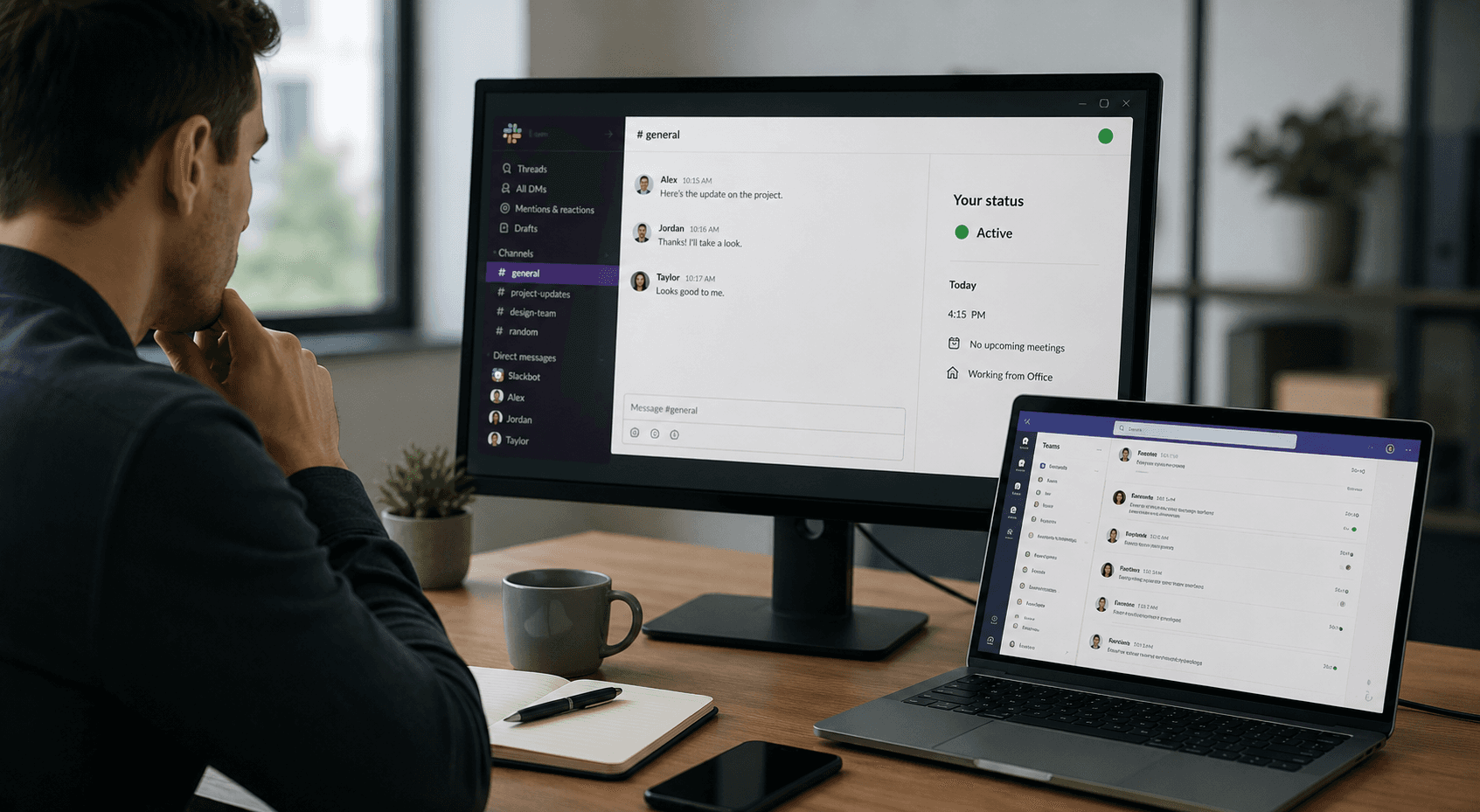
Reason #1 — Constant Presence Monitoring Can Interfere With Deep Work
One of the biggest problems with “always available” workplace culture is that it often discourages the kind of focused work that actually produces meaningful results. Many technical and creative tasks require long stretches of uninterrupted concentration, yet modern collaboration tools constantly encourage employees to remain visibly active at all times.
For example:
Developers may spend an hour compiling code, debugging systems, or testing infrastructure
Designers often need uninterrupted rendering time for large visual assets
Data analysts regularly process large datasets that require patience and sustained attention
Writers and researchers frequently work best in distraction-free environments with notifications disabled
To protect that focus, many professionals intentionally adjust how Slack or Microsoft Teams interacts with their devices. Common strategies include:
Muting unnecessary notifications
Disabling mobile syncing outside work hours
Pausing activity-based status updates
Activating focus modes or “Do Not Disturb” settings
Importantly, this is not about pretending to work while avoiding responsibilities. In most cases, it is the opposite. Employees are trying to reduce the constant interruptions that damage cognitive performance and make complex work harder to complete efficiently.
A person who instantly responds to every notification may appear highly engaged, but constant context switching often leads to slower output, more mistakes, and lower-quality work overall.
How Focus Time Improves Technical Output
Research around productivity and cognitive performance consistently shows that frequent interruptions fragment attention and increase mental fatigue. Even short notifications can disrupt concentration-heavy tasks for several minutes afterward. A developer might appear “inactive” during a 90-minute debugging session while actually producing some of their highest-value work of the day. In technical roles especially, visible activity is often a poor measurement of meaningful progress.
Reason #2 — Background Activity Tracking Can Drain Laptop Resources
Many employees assume Slack and Microsoft Teams only consume resources when actively open on screen, but in reality, these platforms continuously run background processes throughout the workday. Even when minimized, they are constantly syncing notifications, monitoring presence status, refreshing integrations, checking calendars, updating activity indicators, and maintaining cloud connections across multiple devices.
On modern high-performance machines, this may seem minor. However, on older laptops or resource-heavy work setups, the impact becomes much more noticeable.
Common issues include:
Faster battery drain during long work sessions
Increased RAM usage from multiple background services
CPU spikes caused by syncing and notification refreshes
Loud fan activity during multitasking
Reduced performance during video calls or screen sharing
This becomes especially frustrating for:
Remote contractors using personal devices
Employees traveling and working on battery power
Professionals using lightweight laptops for portability
Workers running multiple productivity tools simultaneously
In some cases, reducing continuous presence tracking or background syncing is simply a practical performance optimization rather than an attempt to appear offline.
Common Background Feature | What It Does | Typical Resource Impact |
|---|---|---|
Real-Time Presence Updates | Continuously refreshes online status | Moderate CPU usage |
Mobile Device Sync | Syncs activity across devices | Increased battery drain |
Notification Monitoring | Pushes instant alerts and previews | RAM and background processing |
Calendar Integration | Updates meeting and availability status | Moderate background syncing |
Third-Party App Integrations | Refreshes connected tools and workflows | Variable CPU and memory load |
Automatic File Syncing | Updates shared documents and uploads | Network and storage usage |
Why Technical Workers Often Reduce Background Sync
Technical professionals frequently run demanding workflows that already consume significant system resources. This includes using Docker containers, compiling large codebases, running virtual machines, rendering video, or processing datasets. In these situations, reducing unnecessary background syncing can noticeably improve system stability, battery life, and overall responsiveness during critical tasks.
Reason #3 — Mobile Presence Sync Creates Unhealthy Expectations
One of the most overlooked aspects of workplace tracking is how mobile syncing quietly extends the workday far beyond normal working hours. When Slack or Microsoft Teams stays connected to a phone around the clock, employees can appear permanently reachable — even during evenings, weekends, vacations, or personal time.
Over time, this creates unhealthy expectations inside remote teams. A quick reply at 10:30 PM can slowly turn into an unspoken assumption that someone is always available. Employees may begin feeling pressured to monitor notifications constantly just to maintain the appearance of responsiveness.
Common problems include:
Late-night messages that feel urgent even when they are not
Weekend notifications interrupting recovery time
Vacation interruptions caused by mobile status syncing
Cross-time-zone communication creating pressure to respond instantly
That is why many professionals intentionally disable mobile presence syncing or reduce background activity tracking on personal devices. Doing so can help:
Create healthier work-life boundaries
Reduce burnout and mental fatigue
Encourage more sustainable communication habits
Support asynchronous collaboration across distributed teams
Importantly, many modern remote work policies already encourage flexible schedules and outcome-based performance rather than constant visibility. In healthy workplaces, employees are evaluated by reliability and results, not by whether their status indicator remains green 24 hours a day.
Being Reachable Is Not the Same as Being Productive
Some organizations unintentionally confuse fast replies with effective work. In reality, responsiveness and productivity are not always the same thing. An engineer who instantly answers messages all day may contribute less meaningful progress than someone who works in focused blocks and responds at scheduled intervals. Sustainable remote work depends on clear communication expectations, not nonstop digital availability.
Reason #4 — Privacy and Data Exposure Concerns Are Increasing
As remote work tools become more deeply integrated into daily workflows, employees are paying closer attention to how much behavioral and technical data is being collected in the background. In most cases, companies are not secretly “spying” on workers in the dramatic way people sometimes imagine. However, many professionals still want clearer visibility into what information workplace software gathers and how it is used.
Common concerns include:
Device metadata collected during app usage
IP logging tied to login sessions
Location inference based on network activity
Cross-device session tracking between desktop and mobile apps
Third-party integrations connected to calendars, file systems, or productivity tools
These concerns become even more relevant in modern work environments where employees frequently use personal devices for work-related communication. Under BYOD (Bring Your Own Device) policies, the line between personal and professional digital activity can become blurry.
This is especially sensitive for:
Hybrid employees switching between home and office networks
Contractors working from personal laptops
Employees traveling internationally
Remote workers using mobile hotspots or shared coworking spaces
For many professionals, reducing unnecessary tracking-related features is less about secrecy and more about maintaining reasonable control over personal data exposure in increasingly connected digital workplaces.
Data Type or Feature | Potential Concern | Common Employee Reaction |
|---|---|---|
IP Logging | Approximate location inference | Disable unnecessary mobile sync |
Cross-Device Sessions | Activity tracking across devices | Limit multi-device logins |
Calendar Integrations | Overexposure of availability patterns | Reduce calendar syncing |
Third-Party Integrations | Expanded data sharing | Remove unused integrations |
Device Metadata | Monitoring system behavior patterns | Adjust app permissions |
Why Privacy Discussions Around Workplace Software Are Growing
Conversations around digital wellness and employee privacy have grown significantly in recent years, especially as remote monitoring tools became more common during large-scale remote work adoption. Many workers now prefer technology that feels assistive rather than invasive. For example, Sensei AI focuses on real-time interview support and productivity assistance instead of functioning as employee surveillance software. Across the industry, employees increasingly expect transparency, reasonable boundaries, and more control over how workplace data is collected.
Try Sensei AI for Free
Reason #5 — Status Indicators Frequently Misrepresent Actual Work
One of the biggest flaws in modern workplace tracking systems is that status indicators often fail to reflect what employees are actually doing. Collaboration platforms typically rely on simple activity signals like mouse movement, keyboard input, or app focus to determine whether someone appears “active.” The problem is that real work does not always happen in ways software can easily measure.
For example, employees may spend significant time:
Reading technical documentation on a second monitor
Taking handwritten notes during planning sessions
Whiteboarding architecture ideas away from their keyboard
Testing software on external devices
Attending offline meetings or phone calls
Working inside full-screen applications that suppress activity updates
In these situations, someone may appear idle or away despite being fully engaged in productive work.
This is why green status indicators can easily create misleading assumptions. A constantly active mouse cursor does not automatically mean high performance, and someone appearing offline does not necessarily mean they are disengaged.
In some workplaces, this leads to “performance theater” behavior where employees feel pressured to maintain visible activity instead of focusing on meaningful results. Over time, that mindset can reduce both efficiency and morale.
“Presence indicators are operational signals, not performance reviews.”
Activity Type | How Status Systems Interpret It | Actual Productivity Level |
|---|---|---|
Continuous mouse movement | Highly active | Sometimes low |
Deep reading or research | Idle or away | Often high |
Whiteboarding offline | Inactive | High strategic value |
Full-screen technical software | Limited activity detection | Often high |
Quick message replies all day | Active | Variable output |
Focused coding sessions | Sometimes idle | Frequently very high |
Why Smart Teams Measure Outcomes Instead
Healthy remote teams increasingly evaluate employees based on outcomes rather than constant visibility. More reliable performance indicators include project completion, code quality, documentation standards, client satisfaction, communication reliability, and long-term consistency. These metrics reflect meaningful contribution far more accurately than whether someone kept a green status icon active throughout the day.
Reason #6 — Notification Saturation Can Damage Communication Quality
Modern workplace platforms were designed to improve communication speed, but constant notifications can eventually produce the opposite effect. When employees receive nonstop alerts throughout the day, attention becomes fragmented and communication quality often declines.
Excessive notification activity can lead to:
Message fatigue from constantly switching conversations
Reduced attention during important tasks or meetings
Delayed prioritization because everything feels urgent
Shorter, lower-quality responses sent too quickly
In many remote workplaces, employees are connected to dozens of channels, integrations, calendar reminders, and automated updates simultaneously. Over time, that environment can create pressure to respond instantly instead of thoughtfully.
That is why many professionals intentionally adjust their communication settings by:
Batching replies at scheduled intervals
Disabling instant activity-based status updates
Limiting how many channels they actively monitor
Turning off unnecessary third-party integrations
These habits are often less about avoiding collaboration and more about improving communication clarity. Employees who constantly multitask between notifications may technically respond faster, but the overall quality of decision-making and problem-solving frequently suffers.
Some professionals also use tools like the Sensei AI Playground to quickly organize meeting notes, brainstorm professional responses, or prepare structured talking points before replying. Used carefully, this can reduce repetitive back-and-forth communication and help conversations stay more focused.
The Productivity Cost of Constant Interruptions
Even brief interruptions can have an outsized impact on concentration-heavy work. Research around cognitive performance consistently shows that workers often need several minutes to fully regain focus after a notification interruption. In technical, analytical, or creative roles, constant message switching can quietly reduce productivity far more than most teams realize.
Practice with Sensei AI
Reason #7 — Hybrid Workers Often Need Clearer Personal Boundaries
Hybrid work has changed the meaning of a traditional workplace. Many professionals now move between home offices, coworking spaces, coffee shops, client locations, airports, hotels, and temporary travel setups throughout the week. While this flexibility gives employees more freedom, it also creates new challenges around visibility, availability, and personal boundaries.
In these environments, constant location-linked presence tracking can begin to feel excessive. Employees may feel pressured to appear continuously online regardless of where they are working or whether they are actively available for conversation.
This often contributes to problems such as:
Work-life spillover into personal time
Psychological pressure to maintain visible activity
Anxiety around delayed responses
“Performance theater” behaviors focused on looking active instead of producing meaningful work
For hybrid workers especially, maintaining healthier boundaries often means intentionally limiting unnecessary syncing or status monitoring features across devices.
The issue becomes even more noticeable when employees are expected to remain digitally visible during travel, commuting, or temporary schedule changes. Without clear expectations, flexibility can slowly turn into constant low-level availability pressure.
A healthier remote culture recognizes that mobility and productivity are not opposites. Employees should be able to move between environments without feeling obligated to constantly prove they are online every minute of the day.
What Boundary-Healthy Remote Teams Usually Do
Strong remote teams usually establish communication systems that prioritize clarity over constant monitoring. Common practices include scheduled response windows, transparent calendars, documented async workflows, and protected focus blocks. Some teams even normalize delayed replies during concentration-heavy work periods so employees can focus without feeling guilty about temporarily stepping away from chat platforms.
Reason #8 — Many Companies Already Care More About Deliverables Than Status Lights
Modern remote work culture is increasingly shifting away from monitoring visibility and toward evaluating actual results. Instead of focusing on whether someone appears “online,” many organizations now prioritize what employees produce and how effectively they collaborate across distributed teams.
This shift is driven by several long-term workplace trends:
Outcome-based management focused on measurable results rather than activity signals
Asynchronous collaboration across time zones and flexible schedules
Project tracking systems that emphasize milestones and delivery progress
Documentation-first culture that values written clarity over constant live communication
In this environment, many companies are increasingly evaluating employees based on:
Reliability in meeting deadlines and commitments
Communication clarity in written and async updates
Task completion quality and consistency
Technical execution and problem-solving ability
Collaboration effectiveness across teams and departments
Because of this shift, many employees overestimate how important it is to constantly appear active or “online.” In reality, most modern teams are far more interested in what gets delivered than how frequently someone interacts with chat platforms during the day.
As long as expectations are clearly defined and communication remains transparent, visible presence becomes far less important than actual output and accountability.
How Professionals Can Stay Transparent Without Always Appearing Active
Employees can remain fully transparent in remote teams without needing to maintain constant online visibility. Simple practices like using calendar blocks to show focus time, setting clear status messages, communicating expected response windows, documenting progress proactively, and sharing end-of-day updates when necessary can all help maintain trust while preserving deep work time.
In many remote-first environments, these habits are enough to ensure alignment without requiring continuous activity signals. Tools like Sensei AI’s AI Editor can also support professionals by helping them quickly organize resumes, project summaries, or career materials when preparing for internal reviews or job transitions, especially in fast-moving distributed teams where clarity and structure matter more than constant availability.
Try Sensei AI Now!
Final Thoughts — Healthy Remote Work Depends on Trust, Not Constant Visibility
At the core of all these discussions is a simple but often overlooked truth: disabling certain tracking-related or presence-related features does not automatically mean that someone is disengaged or unproductive. In most cases, it reflects an effort to work more effectively, protect focus, or manage technical and personal boundaries in a healthier way.
Healthy remote work culture is not built on constant visibility or real-time monitoring. Instead, it depends on a few essential principles:
Clear and consistent communication between team members
Accountability based on outcomes rather than activity signals
Focus on meaningful results and deliverables
Respect for deep work and uninterrupted concentration time
Reasonable boundaries that support sustainable productivity
When these elements are in place, the need for constant status tracking naturally decreases. Teams begin to trust each other based on reliability and performance rather than digital presence indicators.
For employees, this also means taking responsibility for how they use workplace tools. It is important to:
Review company policies before adjusting any settings
Communicate openly with managers about work patterns and availability
Use productivity and notification settings in a responsible and transparent way
Build long-term work habits that are sustainable, not reactive
Ultimately, remote work works best when both sides focus on clarity and trust rather than surveillance or constant visibility.
“The best remote teams optimize for trust and outcomes — not who keeps a green dot active the longest.”
FAQs
Is disabling Slack or Teams activity tracking against company policy?
In most cases, disabling or adjusting activity tracking is not automatically against company policy. Many settings in Slack and Microsoft Teams are user-controlled, especially those related to notifications, presence status, and device syncing. However, the key factor is transparency. If employees modify settings in a way that affects team communication or availability expectations, it is important to ensure managers and teammates are still aligned on response times and work expectations.
Does Microsoft Teams track your exact location?
Microsoft Teams does not usually track your exact GPS location on desktop devices. Instead, presence status is generally inferred from activity signals such as keyboard/mouse usage, device state, and application focus. On mobile devices, location-related behavior may be influenced by app permissions, but this is typically limited to improving connectivity or meeting-related features rather than precise location tracking.
Why do remote workers disable “always active” status syncing?
Remote workers often disable or reduce status syncing to minimize distractions and maintain focus during deep work sessions. It also helps reduce notification overload, which can interrupt productivity and increase mental fatigue. In addition, limiting always-on activity signals supports healthier work-life boundaries, especially in hybrid or global teams working across multiple time zones.
Can activity status accurately measure employee productivity?
Activity status is not a reliable indicator of true productivity. While it may show whether someone is interacting with their device, it does not reflect the quality or impact of their work. Many valuable tasks such as thinking, planning, reviewing, or problem-solving happen without constant keyboard or mouse activity. Output quality and consistency are far more meaningful measures than presence indicators.
How can employees stay professional without being constantly online?
Employees can stay professional by maintaining clear communication habits, setting appropriate status updates, and using calendar transparency to show availability. Structured asynchronous workflows also help teams understand when responses can be expected without requiring constant online presence. These practices ensure accountability while still supporting focused work periods.
Are companies moving away from monitoring-based remote management?
Yes, many companies are gradually shifting toward outcome-based management rather than constant monitoring. Modern remote and hybrid teams increasingly prioritize deliverables, collaboration quality, and communication effectiveness over continuous visibility. Asynchronous work culture continues to grow, especially in tech and knowledge-based industries where deep work and flexibility are essential.

Shin Yang
Shin Yang is a growth strategist at Sensei AI, focusing on SEO optimization, market expansion, and customer support. He uses his expertise in digital marketing to improve visibility and user engagement, helping job seekers make the most of Sensei AI's real-time interview assistance. His work ensures that candidates have a smoother experience navigating the job application process.
Learn More
Tutorial Series: Introducing Our New Chrome Extension Listener
Sensei AI vs Interviewing.io: Which Interview Tool Is Better for You in 2026?
Sensei AI vs Huru: Which AI Interview Tool Is Better in 2026?
Sensei AI vs Interview Warmup: Which Interview Practice Tool Is Better in 2026?
How Recruiters Detect AI Answers (and How to Stay Authentic)
Interview Copilot vs Traditional Interview Coaching: Which Is Better for Your Next Interview?
Best AI for Behavioral Interview Questions: 9 Tools to Practice Smarter in 2026
Google Interview Warmup Alternatives: 9 Best Tools to Practice for Interviews in 2026
How to Practice for an Interview by Yourself: A Step-by-Step Guide That Actually Works
Best AI Tools for Job Seekers in 2026
Sensei AI
hi@senseicopilot.com